Auracle
A synthesizer that grows toward you. Pick the sound you’d reach for. It learns your ear, and every generation grows a little closer.
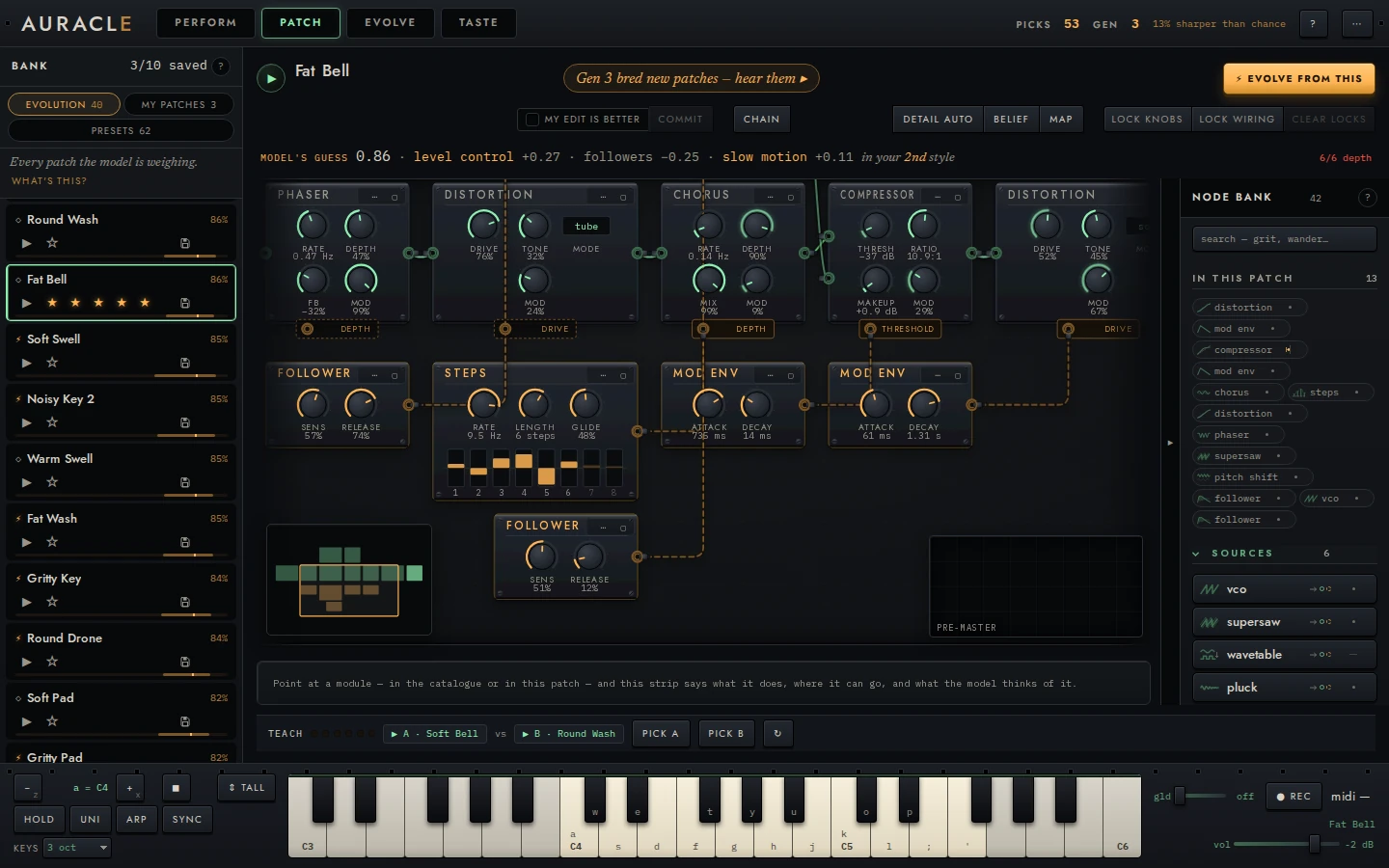
Auracle is a modular synthesizer you play in the browser. Pick between two sounds, and it learns what you like, breeds new sounds toward it, and shows you what it learned. Every sound is a patch you can open and change.
This guide is for playing it: each page is one level or one task, and says what to do and what you’ll see. The reference is for how it works, with the math.
It’s a synthesizer first. Four voices, a keybed, MIDI, an arpeggiator, and a rack of 45 modules with typed cables. You can play it without teaching it anything.
What it does
- Every sound is a real patch. Each one is built from typed modules and cables, so every change breeding or your hands make leaves a patch that still plays. There is no crossover: every child grows from one seed.
- It learns your taste, and says how sure it is. Your taste can have several sides, each a style, so you can like unrelated sounds at once. Before every pick it guesses which you’ll pick, and LEARNING grades those guesses.
- New sounds grow toward you. What the model learns shapes where breeding steps, not only what it keeps. Lock the parts you love, and breeding leaves them alone.
- What you play is what it heard. The patch you play live is the same one that was bred, checked, and measured.
The five levels
The instrument is one space around the sound you’re playing: zoom out to see it among every sound, in to see what it is made of, and step beside it to breed.
| Level | Shows | What you do there |
|---|---|---|
| LEARNING | How it learns | Read what it weighs, how its guesses have scored, and name your styles |
| TASTE | The sound among all sounds | See your pool on a map, and how each pick moved what it guesses you’d like |
| PERFORM | The sound | Play it with controls named for what you hear, let it wander, and hear offers |
| PATCH | The patch | Hear it, play it, turn its knobs, rewire it, and lock what you like |
| EVOLVE | The question | Pick the one of two sounds you’d reach for, and breed |
PERFORM is where you play, EVOLVE is where you teach, and PATCH is where you open the sound up. TASTE and LEARNING are where you see whether it’s learning. ⌘K finds any sound, and anything to do, from any of them.
- Pick the three you’d reach for when the warm start asks.
- Pick between pairs in EVOLVE, a dozen or so.
- Press EVOLVE POOL, and play what it bred.
What to expect
Auracle is pre-1.0. The instrument plays for hours, and the taste loop runs end to end, but:
- It takes picks to learn. A handful of picks isn’t a taste yet. The first useful generations come after a dozen or two, and sure ones later. From nothing it would take hundreds, which is why the warm start exists.
- It says when it doesn’t know. LEARNING counts toward 20 guesses before it grades the model, and then, early on, says not beating a coin flip yet. That is the grading working.
- The saved format may change between versions. Your session lives in your browser and older ones are upgraded, but download anything you care about.
- A phone is slower to start. Every size plays, a phone too, but a phone renders the same sounds at boot on a slower processor; see phones and tablets.
Where to go next
- New to it: your first session.
- Running it yourself, or offline: running it yourself.
- Already playing, and want the keys: keyboard and MIDI.
- How it works: the reference.
- Something’s wrong: troubleshooting.